
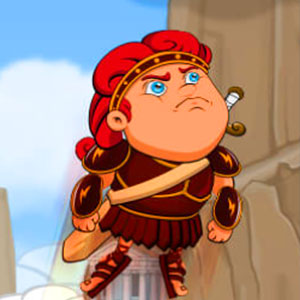
Hero Jump
An arcade jumping entry whose description combines upward progress, platform changes and collecting coins.
Play Hero JumpPlace this game in context
Which version of this idea interests you? The following selections connect to Hero Jump through the catalog details named below.
Jumping and platform routes
A platform jump and a jump through a route obstacle both connect a starting point to a landing. Compare where the character needs to go and what interrupts that movement.
 Jumpz
A movement-puzzle selection between pure route finding and uninterrupted running games.
Character-led journeys
A character can give a route or an encounter a reason to continue. Compare what the protagonist needs to do, not just the appearance of the cast.
 Cat Game Loot
An animal-led treasure entry, different from matching pet pieces on a board.
Collecting toward an objective
A gift, a coin and a hidden treasure all motivate collection, while the surrounding task determines how the reward is reached.
 Night Runner
An endless-running entry identified by a nighttime setting and star collection rather than a defined finish-line route.
About this edition's selection method. These are catalog-based introductions and comparisons, not hands-on reviews. Controls and current rules come from the game provider.
Getting started
- Select Play to open the game's launch page.
- Review the external provider and choose Load game. This connects your browser to the game host.
- Follow the game's on-screen instructions. Use touch on a supported phone, or the mouse and keyboard controls shown by the game on desktop.
For a smoother session
Let the game finish loading before interacting. A recent browser and stable connection work best. Sound, touch support and orientation vary by game; check its own settings. If it fails to load, try the direct provider link on the launch page or choose a different game.